Logos
Use the light version on white or light backgrounds and the dark version on dark backgrounds. When in doubt, use the primary logo.
Primary logo









Italic logo










The e mark
The blue oval with the white e. Use it on its own only when there isn't room for the full logo, like browser tabs, app icons, and social media profile pictures.









Colors
eQuest Blue is the brand color. Ink and Off-white are for the wordmark. Click any value to copy it.
Clear space and minimum size
Give it room
Keep empty space around the logo on all four sides, equal to half the width of the blue oval. Nothing else goes in that space: no text, no other logos, no edge of the page.
More space is always fine. Less is not.
½ oval
½
Don't go too small
Below these sizes, the wordmark gets hard to read. When you need something smaller, use the e mark instead.
| Asset | Screen | |
|---|---|---|
| Primary logo | 120 px wide | 1 inch wide |
| Italic logo | 140 px wide | 1.25 inches wide |
| e mark | 16 px | 0.25 inch |

Do's and don'ts
The logo only works if it looks the same everywhere. Use the files as they are.



Avoid putting the logo on eQuest Blue. The oval disappears into it. If you need the brand on a blue background, use the inverted e mark instead.
Also don't retype "eQuest" in another font and call it the logo, and don't rebuild the e mark from scratch. Always use these files.
App and product icons
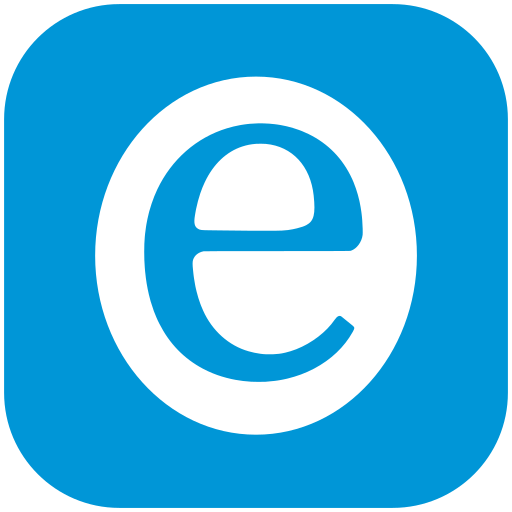
App icons have a solid background because phones and app stores don't allow see-through icons. Product icons are rounded squares for product cards, listings, and tiles.





















Which file do I need?
Pick the row that matches what you're doing.
| I'm making... | Use this | Why |
|---|---|---|
| A website or web app | equest-logo-light.svg, or the 1280 PNG | SVG stays sharp on every screen. Use the dark version in dark mode. |
| An email signature | equest-logo-light-320w.png | Email apps don't support SVG. Set the width to 160 px so it looks sharp on retina screens. |
| Slides or a document | equest-logo-light-1280w.png | Big enough to stay crisp, small enough not to bloat the file. |
| Print, signs, or swag | Any file in 00-vector-svg | Vector files scale to any size. Send these to the printer. |
| A browser tab icon | favicon.ico or favicon-32.png | Made for tiny sizes. |
| A social profile picture | app-icon-blue-1024.png | Square with a solid background, so it crops cleanly to a circle. |
| A phone home screen icon | app-icon-blue-180.png (Apple), -192 and -512 (Android) | Phones need a solid background. |
| A partner listing or vendor page | Light logo PNG at 640 or 1280, plus the SVG | Partners usually ask for both. |
These files were rebuilt as vectors from the best copies of the logo we had. They're clean at every size included. If the original artwork from the logo designer turns up (.ai, .eps, or .svg), it should replace the files here.